
Content blocks are the building bricks of a Chabiti card: you stack, reorder, and customize each one as needed (up to 50 blocks per card). This guide tours the main block groups and when to reach for each.
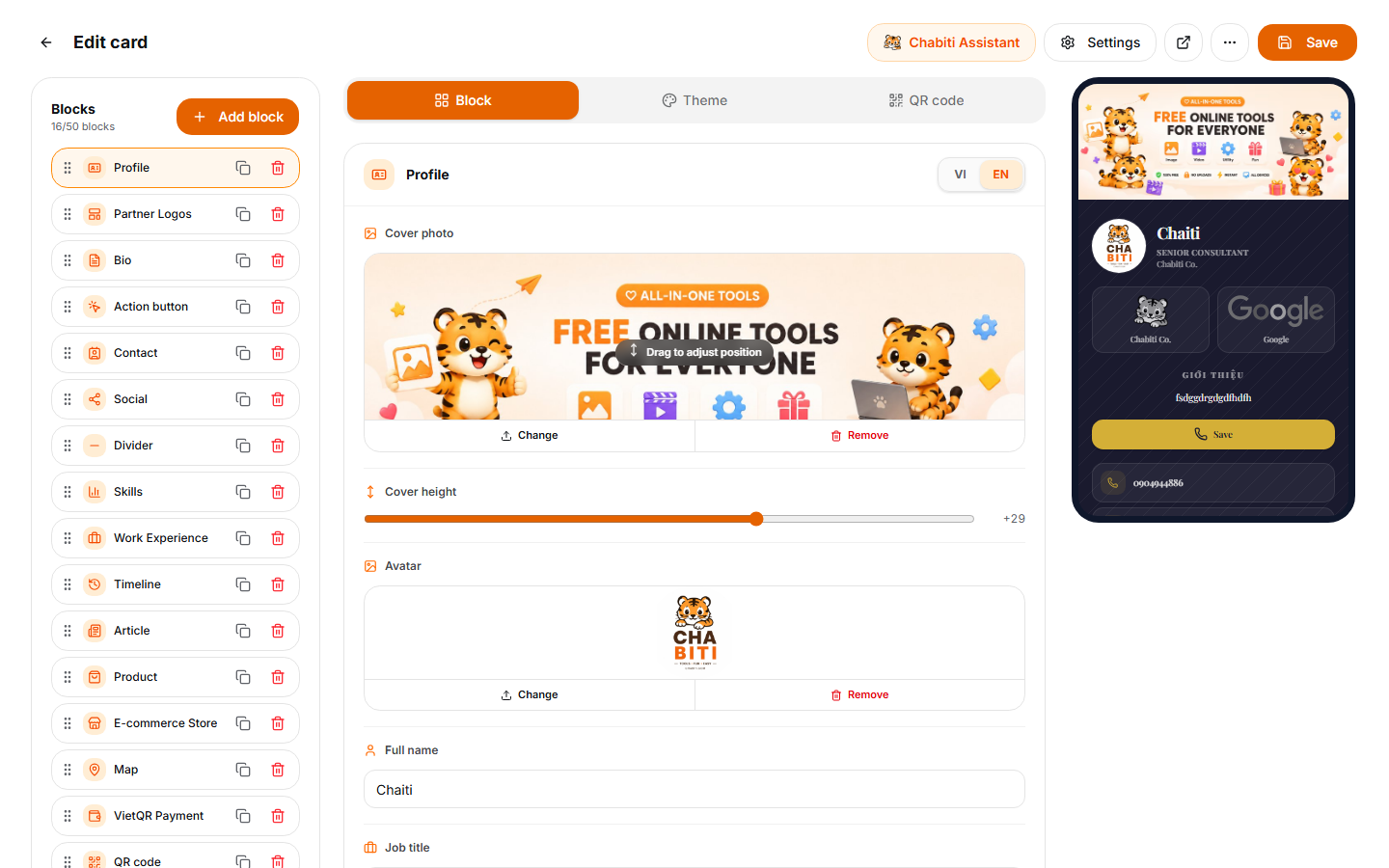
Identity blocks - everyone needs these
ProfilePhoto, name, title, company. Always goes on top.
Bio2–4 sentences about you or your business. A reliable formula: who you are → what you help with → why you're credible.
ContactPhone, email, website; visitors tap to call or write instantly.
Social11 platforms, from Facebook and Zalo to GitHub.
Action buttonA large, prominent button in 3 flavors: call, save contact, or open any link (booking page, signup form...).
Selling & services
Products / StoreShowcase products with prices and purchase links.
PaymentBank transfer details with a VietQR code; customers scan and the right account is pre-filled.
Icon boxList your services with icons, compact and professional.
MapYour store/office location; one tap opens directions.
Credentials
SkillsVisual skill bars, great for freelancers and technical roles.
Experience / TimelineYour work history in chronological form.
AchievementsAwards, certifications, headline numbers.
ArticlesLink to your blog or press coverage.
Media & structure
GalleryPortfolio shots, product photos, your venue.
YouTube videoAn intro video that plays right inside the card.
QR codeEmbed a QR pointing to your card or any link you choose.
EmbedDrop in content from external services.
Heading & DividerGroup long cards into readable sections.
Layout tips
- The golden order: Profile → Action button → Contact → Social → everything else. In the first 3 seconds a visitor needs to know who you are and how to reach you.
- Drag and drop to reorder: Experiment, and always preview on a phone.
- Less, but better: 6–10 polished blocks beat 20 neglected ones. Use Dividers to break up longer cards.
Tip: Not sure what to add? The AI assistant's "Suggest blocks" action analyzes your current card and proposes what's missing for your industry.
Next up
Content sorted - now make a print-ready QR code, or learn how to share your card and measure results.